
Speech To Text Notepad5.0.9 - Get APK
You'll be able to download in few seconds.
Publisher Description
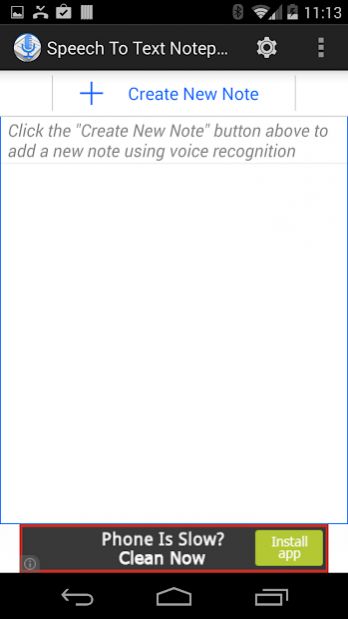
Create notes hands free! All you have to do is speak - this app converts it into text that can be edited using voice commands. For example, you can just
say "next" to move to the next line,
say "delete" to delete a word,
say "delete 5" to delete 5 words
say "delete 10" to delete 10 words and so on.
This app is great for creating to-do lists, grocery list, dictation, and other notes in general. You can also share your notes using your favorite app (Gmail, twitter, Google Hangout, SMS, Whatsapp, Viber, Skype, etc).
SAMSUNG USERS: IF THE APP IS NOT WORKING MAKE SURE YOUR DEFAULT VOICE RECOGNITION ENGINE IS SET TO GOOGLE
Top Free Features
==============
* No limits on the size/length of note created - yes you can write your poems, stories and create your legal documents, medical records or any long documents!
* Organize your notes by creating up to 10 folders and subfolders
* Share your note using your favorite app (Gmail, twitter, Google Hangout, SMS, Whatsapp, Viber, Skype, etc)
* Speech recognizer does not time out
* Speech recognition in >70 languages
* Voice commands in 6 languages (English, French, Spanish, German, Portugese, Russian)
* Read back your notes using Text to Speech / Voice synthesis
* Different speed and pitch settings for Text to Speech
* Font size settings for ease of reading
Top Premium Features
==================
* No advertisements
* Widget to start taking notes with a single touch from your home screen (one touch)
* Premium voice commands (e.g. just say "left" to move the cursor left or say "save" to save the note
* Save post-processing time by capitalizing first letters of sentences
* Unlimited folders and subfolders for complete organization
* Create notes using Bluetooth headset (platinum)
* Eyesfree talkback mode (platinum) - The app will talk back your speech when you pause during your note making session to let you create notes without even seeing the device!
More awesome features are coming soon ...
This app requires Android's speech recognition system (Google Search app). Currently voice commands are supported in English, Russian, Spanish, French, German and Portugese. It can still be used for regular speech to text (without voice commands for next line, delete, etc) in almost all languages supported by Android. It also needs Google Text to Speech if you are interested in Text to Speech features in the app.
About Speech To Text Notepad
The company that develops Speech To Text Notepad is Heterioun. The latest version released by its developer is 5.0.9.
To install Speech To Text Notepad on your Android device, just click the green Continue To App button above to start the installation process. The app is listed on our website since 2016-01-12 and was downloaded 0 times. We have already checked if the download link is safe, however for your own protection we recommend that you scan the downloaded app with your antivirus. Your antivirus may detect the Speech To Text Notepad as malware as malware if the download link to com.heterioun.HandsFreeNotes is broken.
How to install Speech To Text Notepad on your Android device:
- Click on the Continue To App button on our website. This will redirect you to Google Play.
- Once the Speech To Text Notepad is shown in the Google Play listing of your Android device, you can start its download and installation. Tap on the Install button located below the search bar and to the right of the app icon.
- A pop-up window with the permissions required by Speech To Text Notepad will be shown. Click on Accept to continue the process.
- Speech To Text Notepad will be downloaded onto your device, displaying a progress. Once the download completes, the installation will start and you'll get a notification after the installation is finished.
Program Details
System requirements
Download information
Pricing
Version History
version 5.0.9
posted on 2016-01-12
Free Features
===========
+ Create up to 10 folders and subfolders to organize your notes!
+ Navigation drawer for easy access to functionality
+ Improved user interface
+ Bug fixes
Premium Features
==============
+ Create UNLIMITED numbers of folders and subfolders to organize your notes!
Disclaimer
External Download
We do not host Speech To Text Notepad on our servers. We did not scan it for viruses, adware, spyware or other type of malware. This app is hosted by Galad and passed their terms and conditions to be listed there. We recommend caution when installing it.
The APK Download link for Speech To Text Notepad is provided to you by apps112.com without any warranties, representations or guarantees of any kind, so access it at your own risk.
If you have questions regarding this particular app contact the publisher directly. For questions about the functionalities of apps112.com contact us.
